

Inbox
Shared team inbox
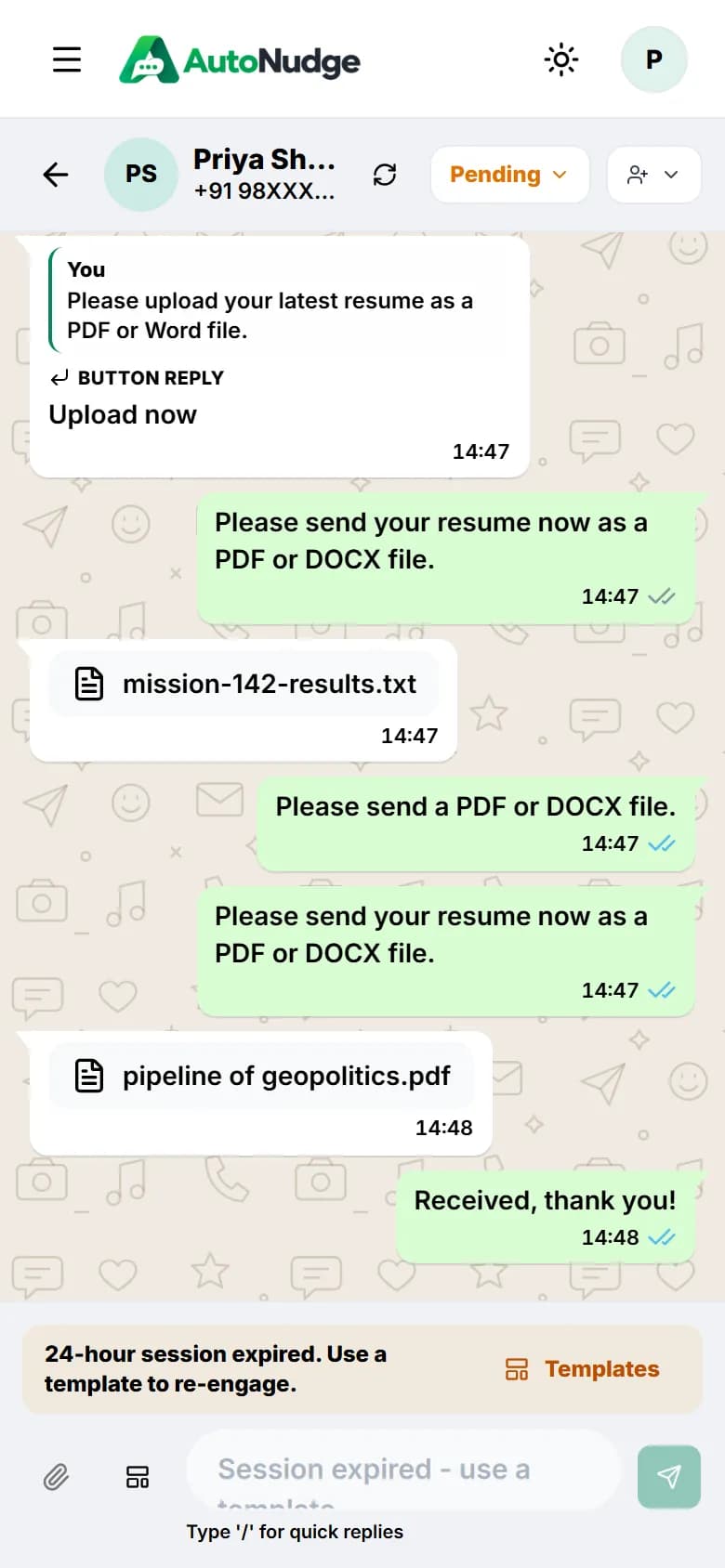
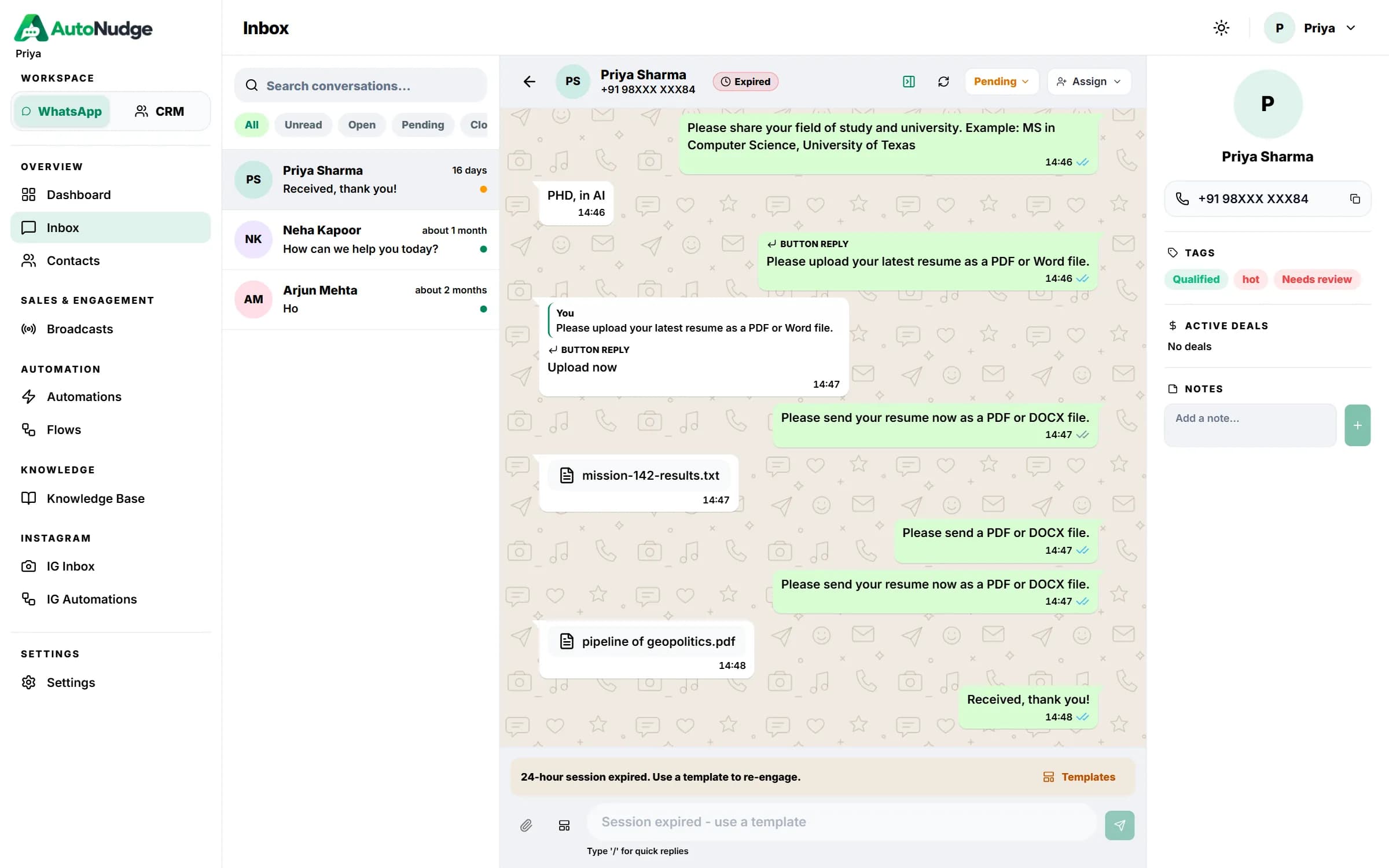
One queue with assignees, statuses and the 24-hour session timer.
- Replies, media and reactions
- Quick replies and templates
- Internal notes on contacts
Autonudge brings your team inbox, customer records, broadcasts and no-code flows together — so every chat gets an owner and every lead gets a follow-up.
Built on official Meta APIs
WhatsApp Cloud API · Instagram messaging
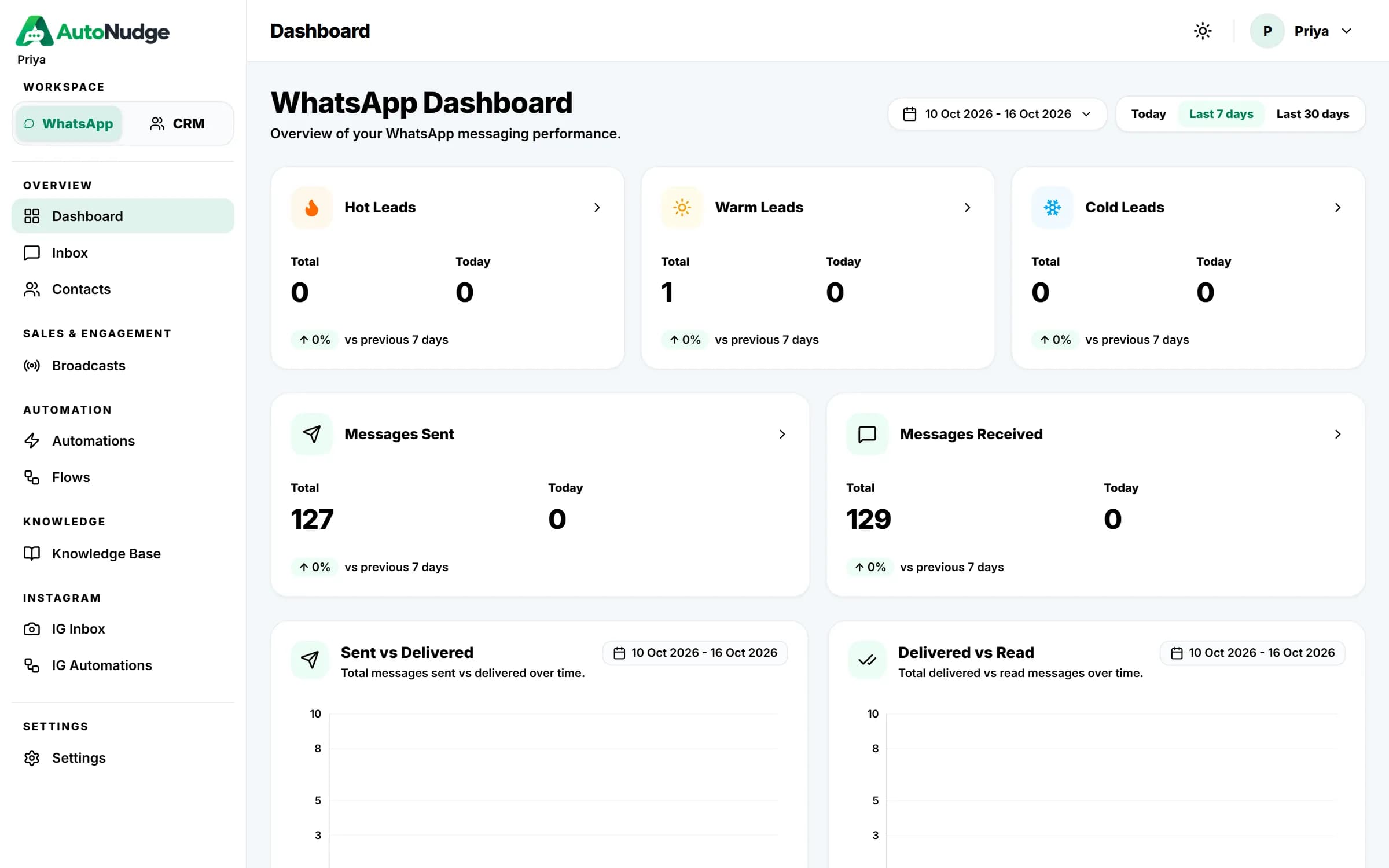
From the first message to the final follow-up — reply as a team, reach customers at scale and let routine work run itself.
1 queue
for every WhatsApp conversation
Included in every workspace
Cloud API messaging
DMs & comment replies
4 roles
Owner, admin, agent, viewer
CSV
Contact import with de-dupe
AI
Flow studio & KB answers
REST
Public API for your stack
Each tool writes to the same contact record, so context follows the customer from the first message to the closed deal.
One queue with assignees, statuses and the 24-hour session timer.
Pick a template, an audience and a time — then follow every read.
Menu journeys that collect answers and hand off to a person.
Move deals through stages with value, currency and close dates.
Profiles, custom fields and tags together, imported from CSV.
Trigger tags, assignments and replies — answer from your knowledge base.
Connect with Embedded Signup, invite your team and start replying from one inbox.
Autonudge carries each conversation from first hello to repeat customer — with your team in control at every step.
Reply the moment a customer writes with a flow or rule.
Ask questions, save answers to fields and tag the lead.
Move the deal to the next stage while the chat is warm.
Hand off to the right teammate with the full history.
Broadcast to the right tags and measure what gets read.
Pick an industry to see how teams set up their first automation.
Patient typed “Hi” → service menu sent with booking options
Reminders by template
City Care CliniconlineBookings without phone tag
Patients choose a service and a slot, get template reminders and reschedule in the same chat.
Welcome menu, FAQ bot, lead capture, restaurant and e-commerce flows are ready to edit.
ExploreAdd a knowledge base and let AI replies answer common questions in your words.
ExploreCreate API keys to add contacts, send messages and trigger broadcasts from your systems.
ExploreAutonudge is quick to connect and simple to run — your team works in it every day.
Link your WhatsApp Business account with Meta Embedded Signup or paste Cloud API credentials.
Embedded Signup
Connected
Pull approved templates from Meta and organise contacts with tags and custom fields.
Setup
Auto-syncTurn on a flow or a rule so every new message gets an instant answer.
Hi! How can we help today?
Agents own conversations and deals while the dashboard shows what's landing.
Messages
ReadSimple setup, no code required
Everything from connection to automation is done in the app's settings.
Assign chats, see the 24-hour window, reply with templates and keep the customer's record beside the thread.
Access is scoped to your workspace and role, and connection secrets are never shown in plain text.
Pricing is set up per workspace. Tell us about your team and channels and we'll share the right plan.
Share your number of agents, channels and monthly conversations — we'll reply by email.
Every workspace includes
Everything you need to know about Autonudge.
Autonudge is a workspace for teams that sell and support on WhatsApp and Instagram: a shared inbox, contacts and pipelines, template broadcasts, flows and automation rules.
Yes. You connect a WhatsApp Business account through Meta Embedded Signup or by pasting Cloud API credentials in Settings.
Yes. Invite teammates, give each a role and assign conversations so everyone knows who owns each chat.
Messages outside the 24-hour window must use templates approved by Meta. You can create, submit and sync them from Settings.
Yes. Build menu flows visually, start from a template or describe the flow to AI Flow Studio, and add rules for keywords and first messages.
Connect an Instagram professional account to reply from the IG inbox and run comment-to-DM and DM keyword automations.
Upload a CSV. Phone numbers are checked for duplicates, and tags and custom fields can be added in bulk.
The contact is flagged as opted out of WhatsApp so your team can see it and respect their choice.
Create an API key in Settings to add contacts, send messages and trigger broadcasts from your own systems.
Yes. Every user can switch between light and dark mode and choose an accent colour.
Still have questions?
Write to us and we'll get back to you. vega6technologies@gmail.com
Set up your workspace, connect your number and give your team one place to reply, follow up and grow.